Ragdolls
Ragdolls has been a pain point for many of us, especially when implementing custom character replication.
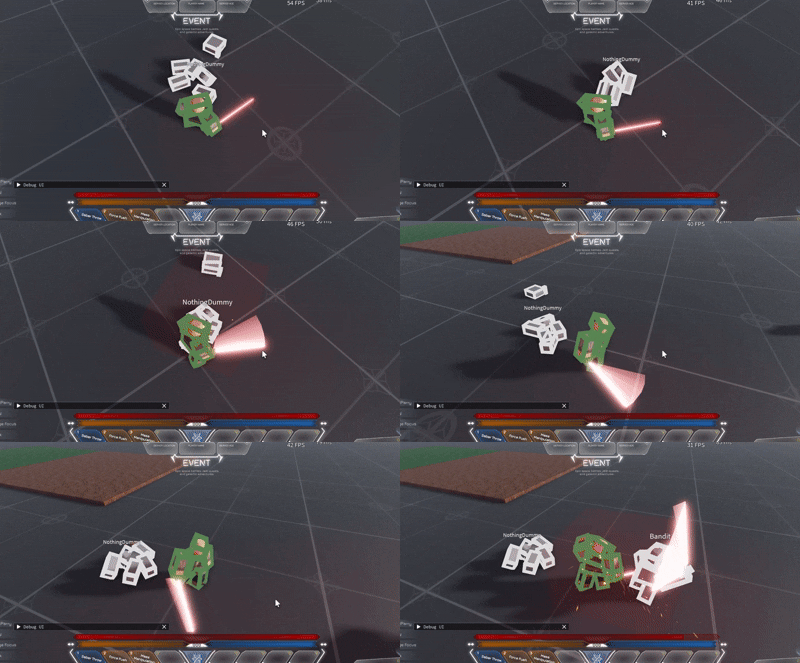
Custom Ragdoll Systems for Chrono v2.2.0+
Chrono v2.2.0 adds a setting for how the client applies replicated transforms, so more ragdoll systems work without modification and custom ones are easier to write.
By default Chrono assigns the primary part's CFrame every frame. That teleports the assembly, throwing away the physics solver's state each step, so a ragdoll ends up fighting the replication and jittery. The ALIGN mode drives an AlignPosition and AlignOrientation toward the target instead, letting Roblox move the character with physics rather than teleporting it.
Switch the entity over when it ragdolls, and back when it gets up:
--server

local entity = Holder.GetEntity(character) --before ragdoll:
Chrono.Entity.SetInterpolationMode(entity, "ALIGN")
RAGDOLL(character)

--after ragdoll:
UN_RAGDOLL(character)
Chrono.Entity.SetInterpolationMode(entity, "CFRAME")
Rotations
If your ragdoll isn't following the rotation, it is likely because you are using the default PLAYER config, which has FULL_ROTATION set to false. Either set FULL_ROTATION to true on that config, or register a separate profile and switch to it while ragdolled:
Config.RegisterEntityType("PLAYER_RAGDOLL", {
    TICK_RATE = 1 / 20,
    FULL_ROTATION = true,
    MODEL_REPLICATION_MODE = "NATIVE", -- Replace with your option
})

--before ragdoll:
Chrono.Entity.SetConfig(entity, "PLAYER_RAGDOLL")

--after ragdoll:
Chrono.Entity.SetConfig(entity, "PLAYER")
Note
This is currently an experimental feature. If you find any bugs you can report them on the Chrono GitHub, the Developer Forum thread, or the Discord.
We also don't recommend keeping interpolation mode to ALIGN as we don't know what hidden interactions it has with other constraints. It is best to switch to ALIGN only when ragdolling and back to CFRAME when not.
How we implement ragdolls
To implement ragdolls we have a dual skeleton approach where:
- Calculation skeleton does the physics simulation
- Visual skeleton mirrors the physics skeleton's cframes for rendering
Ragdoll System
Grab the ragdoll script and rigtypes module here. Note that this was made for R6 but the same concept applies for R15.
Set up collision groups
Ragdoll parts need their own collision rules so they don't collide with active combatants but DO collide with the world and each other.
local PhysicsService = game:GetService("PhysicsService")

PhysicsService:RegisterCollisionGroup("Combatants")
PhysicsService:RegisterCollisionGroup("Combatants2")
PhysicsService:RegisterCollisionGroup("Ragdoll")

PhysicsService:CollisionGroupSetCollidable("Combatants2", "Combatants", false)
PhysicsService:CollisionGroupSetCollidable("Combatants2", "Combatants2", false)

PhysicsService:CollisionGroupSetCollidable("Ragdoll", "Default", true)
PhysicsService:CollisionGroupSetCollidable("Ragdoll", "Combatants", false)
PhysicsService:CollisionGroupSetCollidable("Ragdoll", "Combatants2", false)
PhysicsService:CollisionGroupSetCollidable("Ragdoll", "Ragdoll", true)

Players.PlayerAdded:Connect(function(player)
    player.CharacterAdded:Connect(function(character)
        for _, part in character:GetDescendants() do
            if part:IsA("BasePart") then
                part.CollisionGroup = "Combatants"
            end
        end
    end)
end)
Configure Chrono for ragdolls
If you're using R6 rigs, you need to handle the PrimaryPart issue. There are only really 2 ways to handle this. If you don't depend on primarypart being the Head, I STRONGLY recommend just setting it to the humanoidrootpart. This avoids a whole host of bugs and enables further optimizations. Note that this needs to be done immediately on characteradded or it would not be processed properly by chrono.
Some people might want to send full rotation when the player is ragdolled although that isn't necessary a lot of the times. You can do this via a seperate configuration profile.local Config = require(chrono.Shared.Config)
Config.RegisterEntityType("PLAYER_RAGDOLL", {
TICK_RATE = 1 / 20,
FULL_ROTATION = true,
MODEL_REPLICATION_MODE = "NATIVE",
})
Then swap entity types when ragdolling:
local entity = Holder.GetEntity(character) --before ragdoll:
Chrono.Entity.SetConfig(entity, "PLAYER_RAGDOLL")
Ragdoll.SetRagdollEnabled(character)

--after ragdoll:
Ragdoll.SetRagdollDisabled(character)
Chrono.Entity.SetConfig(entity, "PLAYER")
If you depend on the primary part being the Head that is still fine, but you will need to slightly modify the Ragdoll script to create a 2nd set of skeleton. This is hacky but if you are depending on head being a primarypart thats arguably even more hacky.
local function ToggleLocalTransparency(model: Model, transparency)
    for i, v in model:QueryDescendants("BasePart") do
        v = v :: BasePart
        if not v:HasTag("RAG_DOLL_COPY") then
            v.LocalTransparencyModifier = transparency
        end
    end
end

-- Activating ragdoll on an arbitrary model with a Humanoid:
local function EnableRagdoll(model: Model)
    local isSelfRagdoll = RunService:IsClient() and model == Players.LocalPlayer.Character

    local original = model
    if not isSelfRagdoll then
        ToggleLocalTransparency(model, 1)

        model.Archivable = true
        model = model:Clone()
        model:RemoveTag(SHOULD_RAGDOLL_TAG)
        model.Archivable = false
        model.Name = MODEL_COPY
        model.Parent = original

        for _, limb in model:QueryDescendants("BasePart") do
            limb = limb :: BasePart
            limb:AddTag("RAG_DOLL_COPY")
        end

        task.spawn(function()
            local function GetPart(model)
                if model:FindFirstChild("HumanoidRootPart") then
                    return model:FindFirstChild("HumanoidRootPart")
                elseif model.PrimaryPart then
                    return model.PrimaryPart
                end
                return Instance.new("Part")
            end

            while model.Parent ~= nil do
                GetPart(model).CFrame = GetPart(original).CFrame
                RunService.Heartbeat:Wait()
            end
        end)
    end

    ... rest of the ragdoll script
end
A open sourced demo of this can be found at https://www.roblox.com/games/78492181198483/rep-test